powershell7.6.6启动报错解决办法
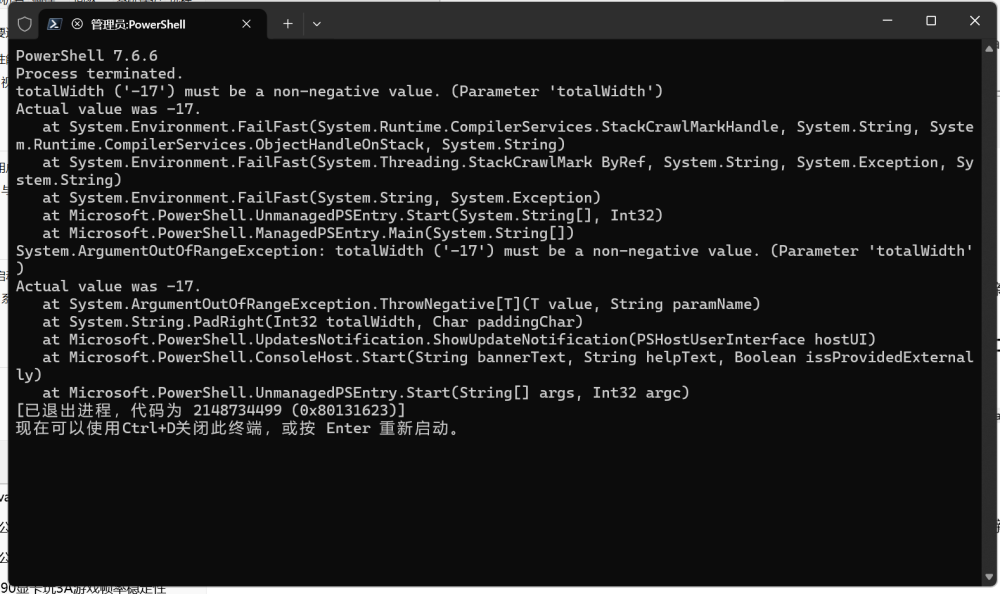
powershell升级到7.6.6后有一个bug.如下图,无法启动。
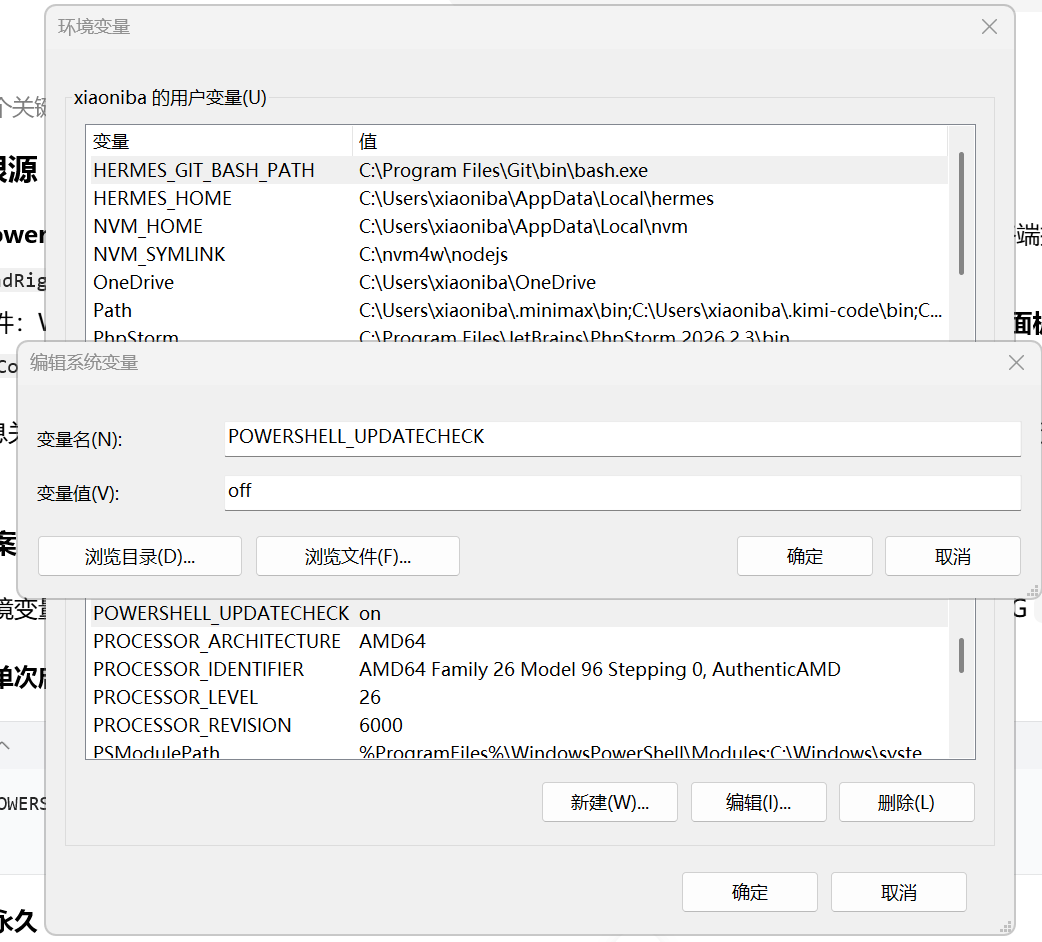
解决办法如下图:建立环境变量 POWERSHELL_UPDATECHECK 值为:off 。即可解决。
报错如下:
PowerShell 7.6.6
Process terminated.
totalWidth ('-17') must be a non-negative value. (Parameter 'totalWidth')
Actual value was -17.
at System.Environment.FailFast(System.Runtime.CompilerServices.StackCrawlMarkHandle, System.String, System.Runtime.CompilerServices.ObjectHandleOnStack, System.String)
at System.Environment.FailFast(System.Threading.StackCrawlMark ByRef, System.String, System.Exception, System.String)
at System.Environment.FailFast(System.String, System.Exception)
at Microsoft.PowerShell.UnmanagedPSEntry.Start(System.String[], Int32)
at Microsoft.PowerShell.ManagedPSEntry.Main(System.String[])
System.ArgumentOutOfRangeException: totalWidth ('-17') must be a non-negative value. (Parameter 'totalWidth')
Actual value was -17.
at System.ArgumentOutOfRangeException.ThrowNegative[T](T value, String paramName)
at System.String.PadRight(Int32 totalWidth, Char paddingChar)
at Microsoft.PowerShell.UpdatesNotification.ShowUpdateNotification(PSHostUserInterface hostUI)
at Microsoft.PowerShell.ConsoleHost.Start(String bannerText, String helpText, Boolean issProvidedExternally)
at Microsoft.PowerShell.UnmanagedPSEntry.Start(String[] args, Int32 argc)
[已退出进程,代码为 2148734499 (0x80131623)]
现在可以使用Ctrl+D关闭此终端,或按 Enter 重新启动。
故障根源
这是 PowerShell 7.6.6 的官方 BUG:启动时执行 ShowUpdateNotification(更新提示横幅),读取终端控制台宽度得到负数 -17,传给 PadRight 直接抛异常、进程直接崩溃退出Microsoft ...。
触发条件:Windows Terminal / WezTerm / Alacritty 这类现代终端,在极小窗口、折叠标签、嵌入式面板、WSL / 容器嵌套终端场景下,Console.WindowWidth 返回负数。
栈信息关键点:
Microsoft.PowerShell.UpdatesNotification.ShowUpdateNotification,就是版本更新提示代码里没有做宽度合法性校验。